This Budget Creality 3D Printer Is Selling Fast—Is the K2 SE Better Than the Competition?
⭐⭐⭐⭐☆ 4.0/5 Stars (Based on 1,723 Amazon Reviews)
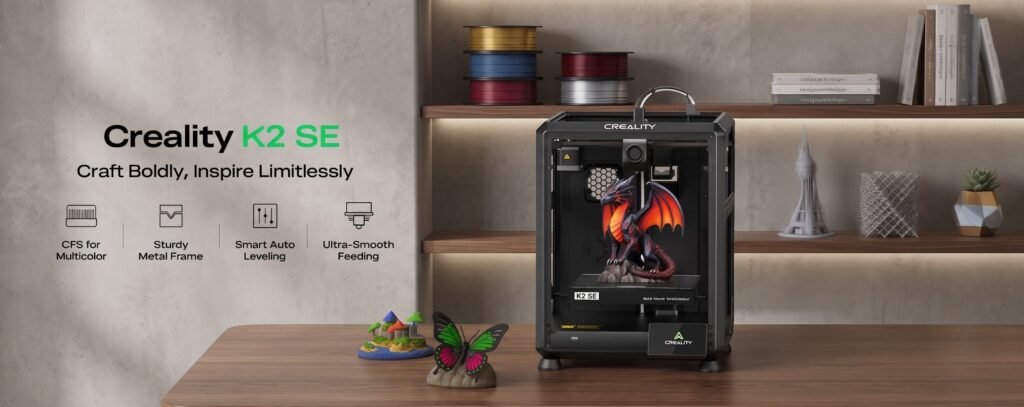
The Creality K2 SE is one of the newest additions to Creality’s lineup, bringing CoreXY high-speed printing, fully automatic bed leveling, a solid metal frame, and future-ready multi-color printing support at a competitive price.
Capable of printing at speeds up to 500mm/s, the K2 SE combines impressive performance with beginner-friendly features. Whether you’re printing prototypes, cosplay props, functional parts, miniatures, or household projects, it offers speed and precision without the premium price tag of many flagship models.
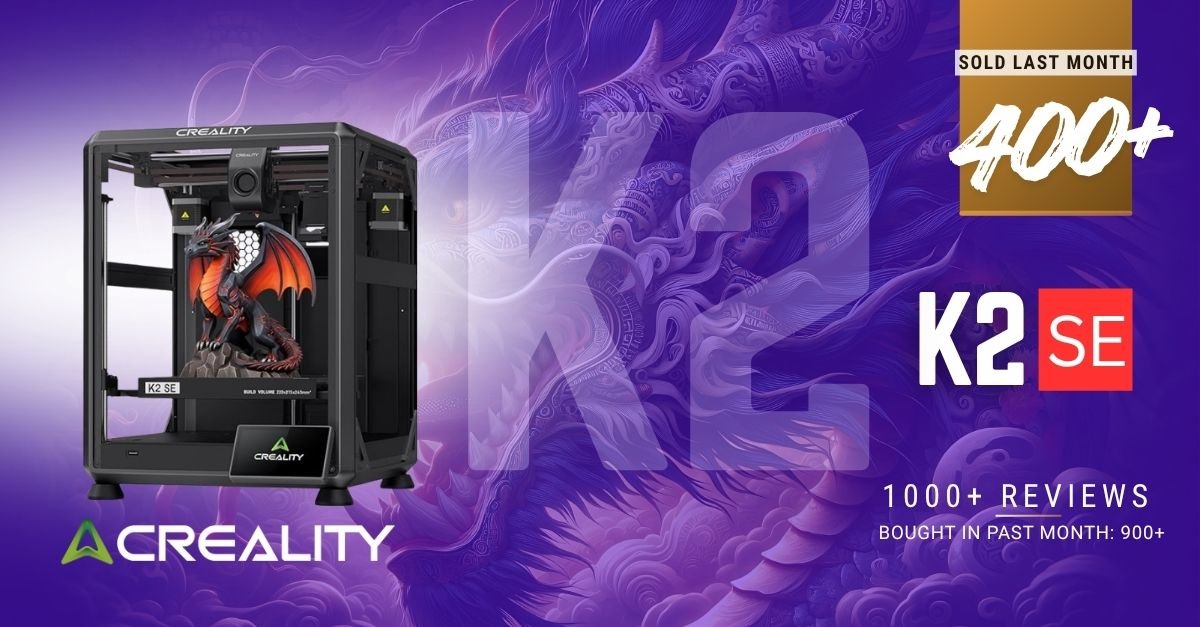
With 400+ units bought in the past month and over 1,700 Amazon customer reviews, the K2 SE is quickly becoming one of the most popular high-speed desktop 3D printers.
Why the Creality K2 SE Is Getting So Much Attention
Creality designed the K2 SE to offer many premium features found in higher-priced printers while keeping it accessible to hobbyists and first-time users. It combines a rigid metal frame, automatic calibration, smart software, and upgrade potential for multi-color printing.
This makes it a versatile choice for users who want a machine that can grow with their skills.
Key Features
🚀 1. 500mm/s High-Speed CoreXY Printing
At the heart of the K2 SE is its CoreXY motion system, enabling:
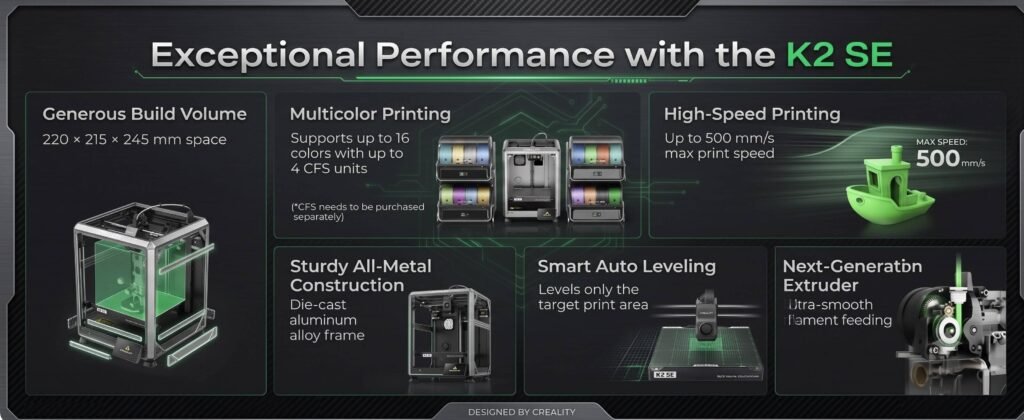
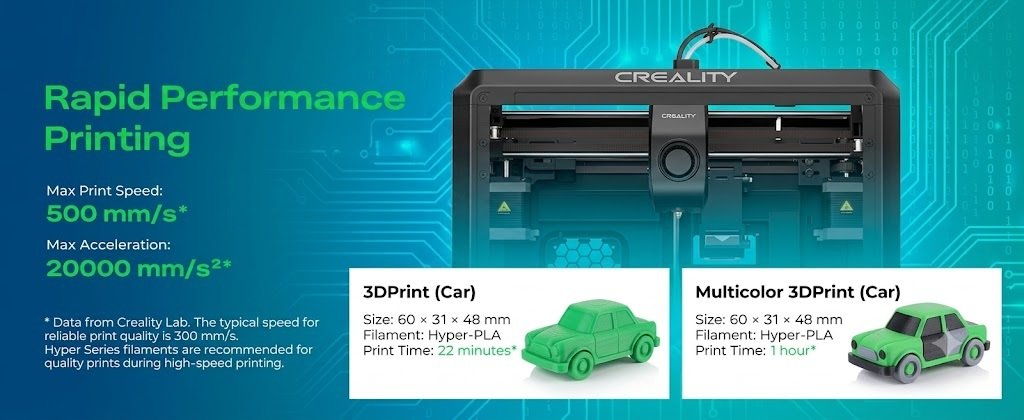
Up to 500 mm/s print speed
20,000 mm/s² acceleration
The lightweight motion system allows for significantly faster print times compared to traditional Cartesian printers, making it ideal for rapid prototyping and everyday printing.
🏗️ 2. Solid Die-Cast Metal Frame
The K2 SE features a robust die-cast aluminum alloy frame reinforced with:
Corner gussets
Dual-side crossbeams
Rigid construction
This sturdy design minimizes vibration and frame flex during high-speed movements, helping maintain dimensional accuracy and smooth surface finishes.
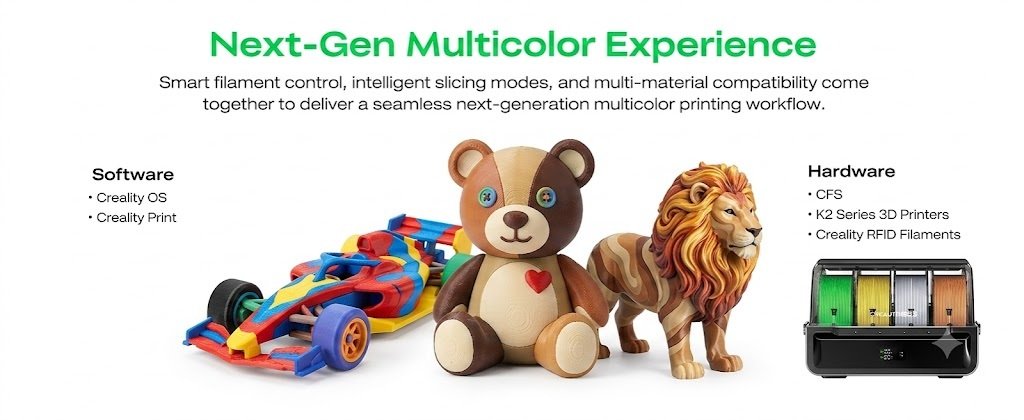
🎨 3. Upgrade to Multi-Color Printing
One of the standout features is compatibility with the Creality CFS (Color Filament System), sold separately.
Once paired with the CFS, the K2 SE supports:
Automatic filament identification
Multi-color printing
Automatic filament switching
Filament run-out detection
Tangled filament detection
Multi-color slicing in Creality Print
This upgrade path lets users start with a single-color printer and expand later without replacing the entire machine.
🎯 4. Fully Automatic Bed Leveling
Manual bed leveling can be frustrating, especially for beginners.
The K2 SE simplifies the process with one-tap automatic leveling, ensuring:
Reliable first layers
Better adhesion
Reduced print failures
Faster setup
Combined with automatic fan calibration and guided setup, users can start printing with minimal effort.
🔥 5. Direct Drive Extruder with Quick-Swap Nozzle
The upgraded modular direct-drive extruder includes:
Hardened steel dual-drive gears
Quick-swap nozzle system
Improved filament feeding
Built-in filament run-out sensor
This design provides better control over flexible and engineering-grade materials while reducing downtime during nozzle changes.
📏 6. Large Build Volume
With a print volume of 220 × 215 × 245 mm, the K2 SE accommodates a wide range of projects, including:
Functional mechanical parts
Decorative models
Household tools
Cosplay props
Multi-part assemblies
Engineering prototypes
The additional Z-height compared to many competing printers offers extra flexibility for taller prints.
📱 7. Smart Software Ecosystem
Powered by Creality OS, the K2 SE integrates seamlessly with:
Creality Print
40+ filament presets
Optimized slicing
High-speed print profiles
3MF multi-color slicing (with CFS)
Creality Cloud
Remote printing
Model downloads
Cloud management
Printer monitoring
These tools streamline workflows for both beginners and advanced users.
🎛️ 8. Beginner-Friendly Setup
The printer is designed to be assembled in approximately 5 minutes.
The touchscreen quick-start guide walks users through:
Automatic leveling
Initial calibration
Fan tuning
First print setup
This significantly reduces the learning curve for first-time users.
Print Quality
Despite its high print speed, the K2 SE consistently delivers:
Smooth surface finishes
Crisp details
Accurate dimensions
Stable layer adhesion
Reduced ringing thanks to vibration compensation
Reliable first-layer performance
The built-in vibration sensor and input shaping algorithm help maintain quality even during fast printing.
Pros & Cons
✅ Pros
Fast 500mm/s CoreXY printing
Fully automatic bed leveling
Strong die-cast aluminum frame
Upgradeable to multi-color printing with Creality CFS
Direct-drive extruder for better filament control
Quick-swap nozzle system
Beginner-friendly 5-minute setup
Large 220 × 215 × 245 mm build volume
Smart Creality OS and Cloud integration
Filament run-out detection
❌ Cons
Multi-color printing requires the optional Creality CFS, which is sold separately.
Maximum speed is slightly lower than some premium CoreXY competitors.
Advanced materials may require additional enclosure considerations depending on the environment.
What Amazon Customers Are Saying
Overall Rating: ⭐ 4.0 out of 5 stars
Total Reviews:1,723+
Bought in the Past Month:400+
Customers frequently praise the K2 SE for:
Straightforward setup process
Fast print speeds
Consistent print quality
Sturdy metal construction
Good value for the price
Reliable automatic bed leveling
Some users mention a learning curve when configuring advanced settings or using optional upgrades, while others appreciate the ability to expand to multi-color printing later.
Who Should Buy the Creality K2 SE?
The K2 SE is an excellent choice for:
Beginners
Easy setup, automatic leveling, and guided calibration reduce the barriers to entry.
Hobbyists
Ideal for printing miniatures, props, figurines, and home projects.
Engineers & Designers
The CoreXY system and rigid frame support fast, accurate prototyping.
Small Businesses
Efficient production of functional parts and customized products.
Makers Planning Future Upgrades
The optional Creality CFS allows users to expand into multi-color printing without replacing the printer.
Who Should Consider Other Options?
The K2 SE may not be the best fit if you:
Need built-in multi-color printing immediately without purchasing additional hardware.
Require an extra-large build volume for oversized projects.
Need an enclosed printer for materials that benefit from a controlled chamber.
Frequently Asked Questions
Is the Creality K2 SE good for beginners?
Yes. Its automatic bed leveling, quick setup, and touchscreen-guided calibration make it approachable for new users.
Does the K2 SE support multi-color printing?
Yes, but it requires the Creality CFS (Color Filament System), which is sold separately.
What materials can it print?
The direct-drive extruder is suitable for common materials such as PLA, PETG, TPU, ABS, and other compatible filaments, depending on the nozzle and print settings.
How fast is the Creality K2 SE?
It supports print speeds of up to 500 mm/s with 20,000 mm/s² acceleration.
Does it have automatic bed leveling?
Yes. The K2 SE includes one-tap automatic bed leveling for improved first-layer consistency.
Final Verdict
The Creality K2 SE delivers an impressive blend of speed, precision, and upgrade potential. Its 500mm/s CoreXY motion system, rigid die-cast aluminum frame, automatic bed leveling, and direct-drive extruder make it a capable machine for both beginners and experienced makers.
The optional Creality CFS also provides a clear upgrade path to multi-color printing, making the K2 SE a future-ready investment rather than a printer you’ll quickly outgrow.
If you’re looking for a dependable, high-speed desktop 3D printer that balances performance and value, the Creality K2 SE is well worth considering.